
GSTR-1 HSN Summary Error (Table 12/13): Fix Step by Step
Table 12 and Table 13 errors block GSTR-1 filing more often than any other section. Here is what each validation checks, why it fails, and the exact order to fix it in.
On this page
Key takeaways
- Table 12 is the HSN-wise summary of outward supplies, split into B2B and B2C tabs; Table 13 is the list of document series issued in the month.
- Since the May 2025 return period, HSN codes must be picked from the portal's master list, so a manually typed or outdated code fails validation.
- Most "mismatch" errors come from Table 12 totals not agreeing with the invoice tables, usually because a rate, a credit note or an amended invoice was left out.
- Fix the source invoices first, then regenerate the summary; editing Table 12 by hand only hides the mismatch until the next month.
An HSN summary error is the most common reason a GSTR-1 that was ready on the 9th is still unfiled on the 11th. The invoice tables upload cleanly, the totals look right, and then Table 12 or Table 13 refuses to validate with a message that tells you what failed but not why.
The reason is that these two tables are derived data. Table 12 restates every invoice in the period grouped by HSN code and rate, and Table 13 restates every document number you issued. If either summary disagrees with the underlying invoices, the portal rejects it. Fixing the summary by hand rarely works because the disagreement is in the source.
This guide walks through what each validation checks, the errors you are most likely to see, and the sequence that fixes them without introducing new ones. If you are new to the return itself, start with the GSTR-1 filing guide and come back here for the HSN section.
What Table 12 and Table 13 report
Table 12 is the HSN-wise summary of outward supplies. For each combination of HSN or SAC code and tax rate you report the description, unit quantity code (UQC), total quantity, taxable value and the tax split. It has two tabs: one for B2B supplies and one for B2C supplies. The B2B tab must reconcile with the invoice-level B2B tables (4A, 4B, 6B, 6C, 8, 9A, 9B, 9C, 15 and 15A), and the B2C tab with the B2C tables (5A, 6A, 7A, 7B, 8, 9A, 9B, 9C, 10, 15 and 15A).
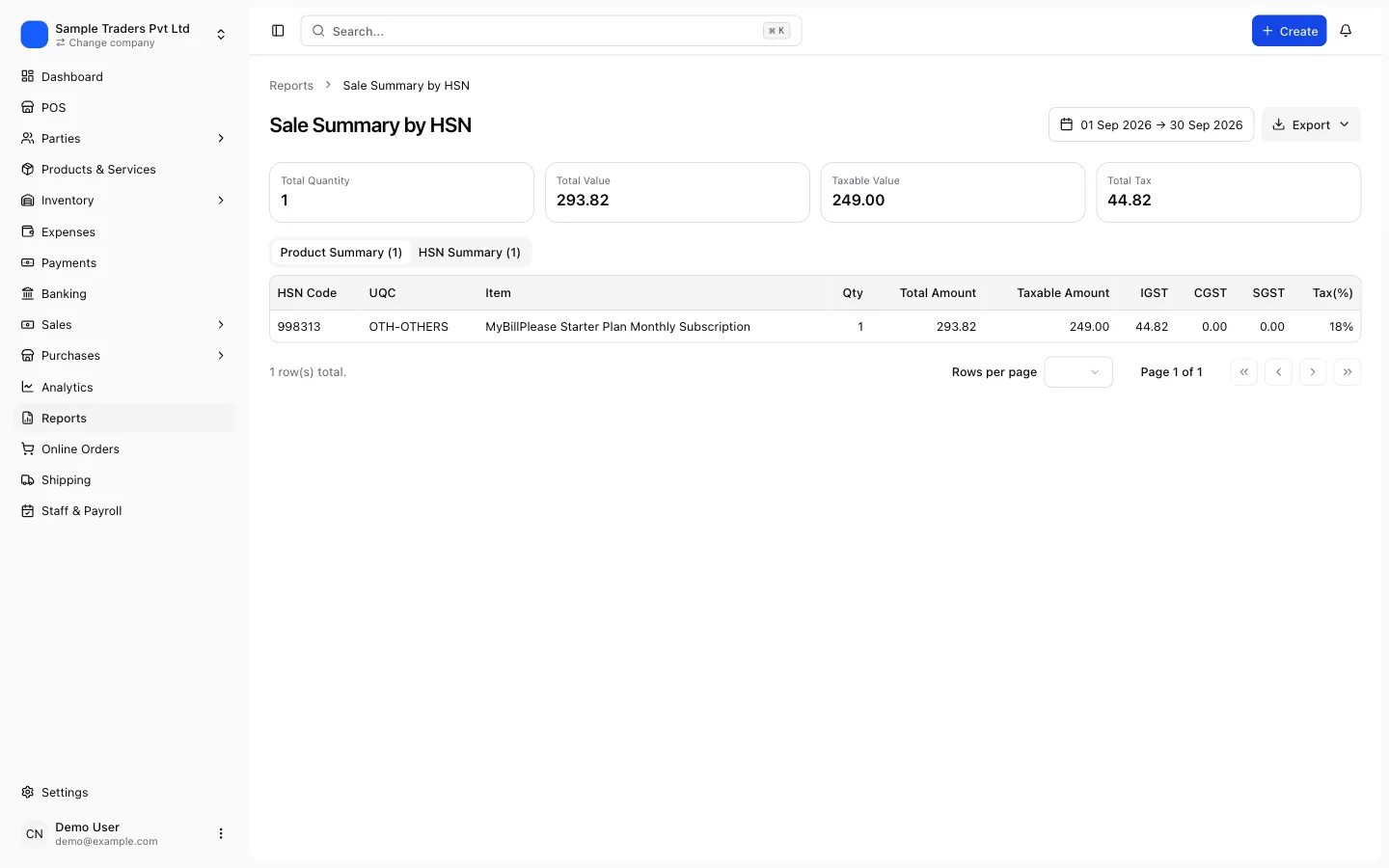
Table 13 is the list of documents issued. For every series of tax invoices, revised invoices, debit notes, credit notes, receipt vouchers, payment vouchers, refund vouchers and delivery challans, you report the first serial number, the last serial number, the total documents in the series, the number cancelled and the net issued. It is how the department checks that invoice numbers are continuous and that a cancelled document was actually accounted for.
Both tables became mandatory, with dropdown-only HSN selection, from the May 2025 return period onward. That change is the origin of most of the errors below.
Which HSN digits apply to you
Aggregate turnover up to Rs 5 crore in the previous financial year: at least 4-digit HSN codes. Above Rs 5 crore: 6-digit codes. This comes from Notification 78/2020 and applies to Table 12 and to the invoice itself. Reporting 8 digits is allowed and often simpler if your product master already has them.
The validations the portal runs
Since the phase 3 changes, the portal does more than check that a field is filled. It checks each of the following, and the message you see maps to one of them.
- HSN or SAC code exists in the portal master list. Manual entry is disabled; the code must be chosen from the dropdown, and the description auto-fills from the master.
- The rate for that code is one of the rates in force. After the GST 2.0 slab change on 22 September 2025, the live slabs are 5, 18 and 40 percent plus nil-rated. An old 12 or 28 percent row for a period after that date fails.
- UQC is one of the accepted codes such as NOS, KGS, MTR, LTR, PCS, BOX, SET, and OTH for anything else. Free text like "pcs" or "Nos." is not accepted.
- Quantity is present for goods and absent for services.
- Taxable value and tax amounts in the B2B tab agree with the B2B invoice tables. A difference is a hard error for B2B and a warning for B2C at the time of writing.
- Table 13 counts are arithmetically consistent: total minus cancelled equals net issued, and the last number is not lower than the first.
Understanding which check failed cuts the fix from an afternoon to twenty minutes, so read the message carefully before touching anything.
| Your aggregate turnover | HSN digits required | Table 12 B2B tab | Table 12 B2C tab |
|---|---|---|---|
| Up to Rs 5 crore | 4 digits minimum | Mandatory, hard validation | Mandatory, warnings on mismatch |
| Above Rs 5 crore | 6 digits minimum | Mandatory, hard validation | Mandatory, warnings on mismatch |
| Any, for services | SAC at the same digit rule | Quantity and UQC not reported | Quantity and UQC not reported |
Error: HSN code not found or invalid
This is the most frequent message and it has three usual causes.
The code was typed by hand into an Excel template or the offline tool, and it does not exist at that digit length. For example, a 5-digit code, or a 4-digit code that is a chapter heading rather than a valid subheading.
The code was correct once but the portal's master list has moved on. Some codes were merged or split when the rate schedule was rebuilt in September 2025, and a product master that has not been updated since then still carries the old one.
The code is right but the description was edited. The portal now fills the description from the master and rejects a row where the description does not match, especially in the offline tool's JSON upload.
To fix it, check the code in your product master against the portal dropdown or a current HSN lookup, correct the product record, and regenerate the summary. Do not fix only the summary row, because next month's invoices will carry the same wrong code. The HSN search on the GST portal shows the currently valid codes and their rate, and the guide to creating a GST invoice covers where the code sits on the document itself.
Error: UQC, quantity and description mismatches
The unit column trips people who sell both goods and services, or who sell a product in one unit and buy it in another.
- For goods, every Table 12 row needs a UQC and a total quantity. If your invoices carry "pieces" in one place and "nos" in another, they roll up into two rows for the same HSN and rate, and one of them may carry an unaccepted unit.
- For services, quantity and UQC are not reported. Filling NOS with quantity 1 for a consulting invoice, which some templates do by default, causes a rejection on the SAC row.
- Description must match the master. If your system exports its own product description into the description column, the offline tool flags it. Let the portal fill the description.
The quickest fix is to standardise units in the product master, map every custom unit to one of the accepted UQC codes, and mark services as services so quantity is suppressed. Software that keeps a proper product master, such as the approach described in Excel billing vs GST software, avoids this class of error by construction.
Before you regenerate Table 12
- Every product has a 4-digit or 6-digit HSN that exists in the portal master
- Every service has a SAC and no quantity
- Every goods line has one of the accepted UQC codes
- No 12 or 28 percent rows for supplies dated on or after 22 September 2025
- Credit notes and debit notes for the period are included with a negative or positive sign as the form expects
- Amended invoices from Table 9A are reflected in the summary
Error: Table 12 totals do not match the invoice tables
When the HSN summary disagrees with the invoice tables, the portal shows the difference by rate. Look at which rate is off and by how much; the amount usually points straight at the cause.
- Difference equals one credit note: the credit note in Table 9B was not netted into the HSN summary, or was netted twice.
- Difference equals the tax on one invoice: an invoice was entered with a wrong rate at line level, so it rolls up into a different HSN row than the summary expected.
- Difference is a round number like the value of one whole invoice: an invoice was added to the portal after the summary was generated, often because it was uploaded through the online form while the rest came from JSON.
- Difference is a few rupees: rounding at line level versus invoice level. Adjust the rounding setting in your software so both tables round the same way, and recheck.
- B2B and B2C swapped: an unregistered customer with a GSTIN typed into the wrong field pushes an invoice into B2B in one table and B2C in the other.
The fix is always at invoice level. Correct the invoice, delete the summary rows on the portal, and regenerate from the corrected data. Reconciliation habits that help here are described in common GST billing mistakes.
| Message on the portal | Most likely cause | Where to fix it |
|---|---|---|
| HSN code is invalid | Code not in master, wrong digit length, withdrawn code | Product master, then regenerate |
| Rate not applicable for HSN | Old 12 or 28 percent slab, or wrong rate on the product | Product rate, invoices dated after 22 Sep 2025 |
| UQC is invalid | Free text unit, or unit given for a service | Unit mapping in product master |
| Values differ from B2B tables | Credit note, amendment or late invoice not in the summary | Invoice tables, then regenerate |
| Table 13 totals inconsistent | Cancelled count wrong, or series split across two rows | Document series register |
Table 13 errors: series, gaps and cancelled documents
Table 13 fails for arithmetic reasons more than for content reasons, and the arithmetic is easy to get wrong when invoice numbers are generated in more than one place.
- A series that runs INV/26-27/0001 to INV/26-27/0180 with 3 cancelled must show total 180, cancelled 3, net 177. If your software counts cancelled documents differently from how it numbers them, the numbers will not add up.
- Two rows for the same series, because the month's invoices were exported in two batches, produce overlapping ranges and a rejection.
- A credit note series reported under tax invoices, or a delivery challan series omitted entirely, produces a count that does not reflect the documents actually issued.
- The last number of the series lower than the first, which happens when the series was reset mid-month or an alphanumeric suffix sorts differently from the numeric part.
Cancel, never delete
A deleted invoice leaves a gap that Table 13 cannot explain. A cancelled invoice is counted in the cancelled column and the arithmetic still works. Once a number has been issued, the only compliant ways to remove it are cancellation or a credit note.
Invoice numbering rules, including the 16-character limit and the once-a-year reset, are set by Rule 46(b), and the GST invoice format guide explains the fields. For Table 13 the practical rule is one row per series per document type, numbers taken from the document register rather than from a filter on a spreadsheet.
Fix it step by step
Follow this order. Skipping to step 5 is what makes the error come back.
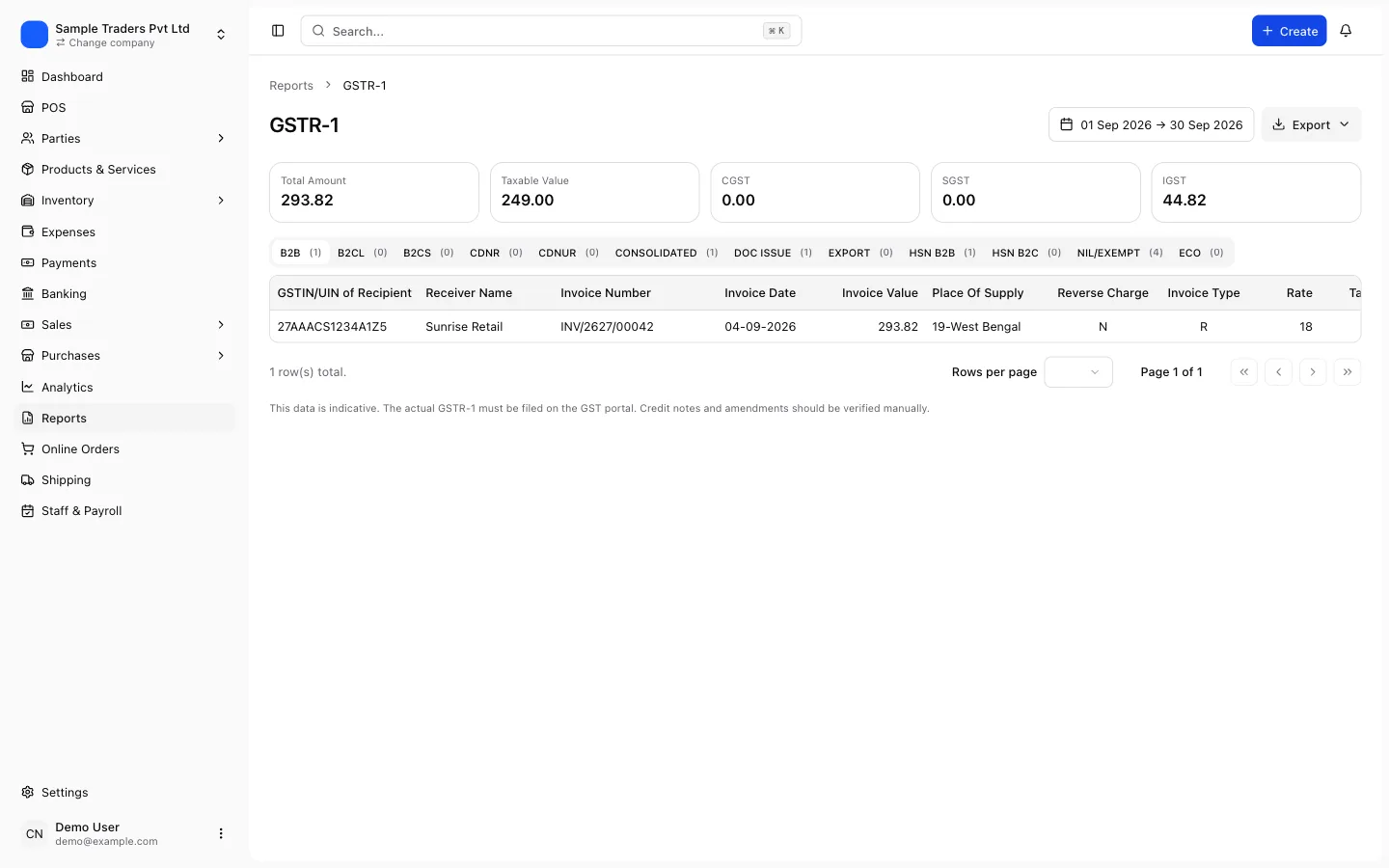
- Read the exact message on the portal or in the offline tool error report, and note the rate and the tab (B2B or B2C) it refers to.
- Export the period's invoices, credit notes and debit notes from your billing system with HSN, rate, UQC and quantity at line level.
- Build a pivot of taxable value and tax by HSN and rate, separately for B2B and B2C, and compare it with what the portal shows in the invoice tables. The difference is your target.
- Correct the source: fix the product's HSN, rate or unit, correct the customer's GSTIN, or add the missing credit note. Save the changes so future invoices inherit them.
- Delete the existing Table 12 rows on the portal, or discard the summary in the offline tool, and regenerate it from the corrected data. Do not edit the rows in place.
- Rebuild Table 13 from the document register: one row per series, first and last number, total, cancelled, net.
- Upload, run Generate Summary on the portal, and confirm that Table 12 shows no error and that any warning on the B2C tab is one you understand and can explain.
- File, then check GSTR-1A stays open until GSTR-3B is filed in case something else surfaces.
If the same error appears for a month you have already filed, the correction goes through GSTR-1A (until the period's GSTR-3B is filed) or as an amendment in the next period's return. The GSTR-3B filing guide covers how the two returns interact.
Why the error keeps coming back and how to stop it
If Table 12 fails every month, the problem is process, not the portal. Three habits fix it permanently.
Keep one product master with HSN, rate and UQC on every item, and generate invoices from it. When a rate changes, as it did on 22 September 2025, you update one record and every invoice after that date is right. Invoices typed into a blank template carry the old rate for months.
Generate the HSN summary from the same data that produced the invoices. Billing software that prepares GSTR-1 from its own invoice records produces a Table 12 that matches by definition, because both come from the same lines. The only way for them to disagree is a manual edit after the fact.
Close the month before you file. Cancel or credit-note any document that should not stand, number nothing outside the system, and only then export. Table 13 then reflects reality, and a number is never issued in two places.
Monthly close before GSTR-1
- All invoices for the period issued from one numbering series per document type
- Cancelled invoices marked cancelled, not deleted
- Credit notes and debit notes linked to their original invoices
- Product master reviewed for rate and HSN changes
- HSN summary generated from invoice data, not typed
- Table 13 counts checked against the document register
Software that produces the invoice, the credit note and the return preparation from one record removes the duplicate typing that creates the mismatch. myBillPlease does this on its free plan, with GSTR-1 and GSTR-3B preparation built from the invoices you already issued, and up to 100 invoices a month with no card required.
When to involve your CA
Most Table 12 errors are data hygiene and you can resolve them yourself. Involve your CA when the mismatch traces to an invoice that was already reported in a previous period, when a credit note crosses the 30 November deadline for the previous financial year, or when a rate classification is genuinely uncertain. A wrong HSN on a high-value product is a rate question, not a data entry question, and getting it wrong invites a notice later. The ITC and notice guide explains how classification errors surface on the recipient's side as well.
Filing late because of a Table 12 error still attracts the late fee of Rs 50 per day (Rs 20 for a nil return), so if the fix will take longer than the deadline allows, file what is correct and amend, rather than miss the date.
Frequently asked questions
- What is Table 12 in GSTR-1?
- Table 12 is the HSN-wise summary of all outward supplies for the return period. For each HSN or SAC code and tax rate you report the description, unit of measure, quantity, taxable value and the CGST, SGST, IGST and cess amounts. Since the May 2025 period it is split into a B2B tab and a B2C tab.
- What is Table 13 in GSTR-1?
- Table 13 lists every document series you used in the period: tax invoices, credit notes, debit notes, delivery challans and so on. For each series you enter the first number, the last number, the total count and how many were cancelled. It lets the department check that no invoice numbers are missing.
- Is the HSN summary mandatory for small businesses?
- Yes. Businesses with aggregate turnover up to Rs 5 crore report at least 4-digit HSN codes, and businesses above Rs 5 crore report 6-digit codes. The B2B tab of Table 12 is validated strictly, while the B2C tab currently produces warnings rather than hard errors, but both must be filled.
- Why does the portal say my HSN code is invalid when it is printed on my invoice?
- The portal now accepts only codes that exist in its HSN master list, selected from a dropdown. If your invoice carries a code that was withdrawn, truncated or typed with a spelling mistake in the description, the upload fails. Correct the code in your invoicing software and regenerate the summary.
- Can I file GSTR-1 if Table 12 shows a warning instead of an error?
- A warning lets you proceed, an error does not. B2C mismatches currently show as warnings, so filing is possible, but the mismatch still exists in your data and will surface again during a GSTR-9 reconciliation or an audit. Treat warnings as work to finish before the next period.
- What UQC should I use for services in Table 12?
- Services do not carry a unit of measure or quantity in Table 12. Enter the SAC code and leave quantity blank or zero as the form allows. Using NOS or OTH for services is a common cause of rejection, so keep units for goods only.
- How do I correct an HSN summary after GSTR-1 is filed?
- Use GSTR-1A, which opens after GSTR-1 is filed and stays open until GSTR-3B is filed for the same period. Correct the invoice level data first, then resubmit the HSN summary. Anything missed after GSTR-3B goes into the next period's GSTR-1 as an amendment.