
GST for Flipkart Sellers: TCS, Returns, Credit Notes for RTO
Flipkart collects TCS on every sale and sends a large share of orders back as customer returns or RTO. Both need credit notes against the original invoice, or your GSTR-1 overstates sales and disagrees with Flipkart's GSTR-8. Here is the full monthly routine.

On this page
Key takeaways
- Selling goods on Flipkart requires GST registration regardless of turnover under Section 24(ix); composition dealers cannot sell inter-state through the marketplace.
- Flipkart collects TCS at 0.5 percent of net taxable value, reports it in GSTR-8, and the credit lands in your electronic cash ledger after you accept it in the TDS and TCS credit received tab.
- Customer returns and RTO shipments both need a credit note under Section 34 against the original invoice; cancellations before dispatch are cancelled invoices, not credit notes.
- Credit notes go to GSTR-1 Table 9B for registered or large inter-state buyers and reduce Table 7 for small B2C sales, and must be declared by 30 November following the financial year.
GST for a Flipkart seller comes down to three monthly facts. Flipkart collects 0.5 percent TCS on your net sales and reports it in GSTR-8, and you accept that credit on the portal so it lands in your electronic cash ledger. Every customer return and every RTO shipment needs a credit note against the original invoice, because the invoice was issued and cannot be deleted. And GSTR-1 by the 11th and GSTR-3B by the 20th are built from the sales, returns, TCS and fee reports in Seller Hub, not filed by Flipkart for you.
Returns are the part that trips Flipkart sellers most. Return rates on the marketplace are high in categories like fashion, and each return that is not credit-noted leaves output tax paid on a sale that did not survive. Multiply that by a few hundred orders a month and the overpayment is real, while the missing credit notes also make your GSTR-1 disagree with Flipkart's GSTR-8, which nets returns in its TCS base.
This guide covers registration, the TCS flow, the reports you need, the mapping into GSTR-1, and the returns and RTO credit note process in detail. The general marketplace picture is in the ecommerce seller GST guide.
Registration for Flipkart sellers
Registration is mandatory for goods sold through Flipkart regardless of turnover, under Section 24(ix), because Flipkart is an e-commerce operator required to collect TCS under Section 52. The Rs 40 lakh and Rs 20 lakh thresholds do not apply.
Composition scheme dealers cannot make inter-state outward supplies, so a composition dealer cannot sell pan-India on Flipkart. The 2023 relaxation allowing composition and unregistered intra-state sellers on marketplaces is limited to supplies within the seller's state; whether Flipkart supports it in your category is a question for Seller Hub and the GST portal, not something to assume. The composition scheme guide covers the trade-off.
Enter the GSTIN in Seller Hub exactly as it appears on the registration certificate. Flipkart prints it on every invoice generated for your orders and reports TCS against it. If you store stock in Flipkart warehouses in other states, supplies from those warehouses are made from a registration in that state, and you will need a GSTIN there; take advice on the additional place of business route before you sign up for warehousing. If you are registering now, the registration guide covers the process.
Check the GSTIN on the first invoice, not after a year
An outdated or cancelled GSTIN in Seller Hub means defective invoices, TCS reported to a ledger you cannot use, and a correction on Flipkart's side that takes months. Open the first invoice of each month and compare the GSTIN to your certificate. It takes ten seconds.
How Flipkart's TCS works and how to claim it
Flipkart collects TCS at 0.5 percent of the net taxable value of your supplies under Section 52, net meaning after returns processed through the marketplace in the same month. The rate has been 0.5 percent since 10 July 2024, split 0.25 percent CGST plus 0.25 percent SGST for intra-state supplies or 0.5 percent IGST for inter-state. Flipkart files GSTR-8 by the 10th of the following month.
TCS is not a fee. It is your own output tax paid early, and it becomes available to you only after you accept it on the portal.
- Download the TCS report for the month from Seller Hub.
- On the portal, open Services, then Returns, then TDS and TCS credit received, and select the period.
- Compare each row with the TCS report. Accept matching rows; reject only rows that are clearly not yours.
- File the statement with EVC or DSC. The accepted amount moves to the electronic cash ledger.
- When you file GSTR-3B, set off ITC first as the rules require, then the cash ledger balance.
Because TCS is 0.5 percent and your output tax is 5 or 18 percent, the credit pays only part of the liability. The rest comes from ITC and cash. If Flipkart's GSTR-8 is late and the credit is not visible by the 20th, file from ITC and cash and use the credit next month. The TDS versus TCS guide explains why this credit sits in the cash ledger rather than the credit ledger.
Reports to download from Seller Hub
Flipkart's report labels change, so look for these by content. Most sit under the Reports area of Seller Hub, with tax and GST reports grouped together and fee invoices under a payments or invoices section.
- Sales or GST sales report: one row per shipped order line with the invoice number Flipkart generated, invoice date, product, HSN, quantity, taxable value, rate, tax split and the delivery state.
- Returns report: customer returns and RTO shipments with the original order and invoice reference, return type, date and value.
- TCS report: the figures Flipkart reported in GSTR-8 against your GSTIN.
- Fee invoices: Flipkart's tax invoices for commission, fixed fee, collection fee, shipping fee and any other charge, each with 18 percent GST, plus credit notes for fee reversals on returned orders.
- Settlement report: what reached your bank, after fees and TCS. This reconciles the bank, not the return.
Download all five on the first or second of the month. Keep the returns report in particular, because it is the only record that ties each return to its original invoice, and that link is what a credit note needs.
GSTR-1 from Flipkart sales
Flipkart generates the tax invoice for each order in your name and numbering, so the invoice number on the shipping label is the one you report. Import those invoices into your billing system as issued, in their own series, so Table 13 can list the first number, last number, total and cancelled count. Do not renumber them.
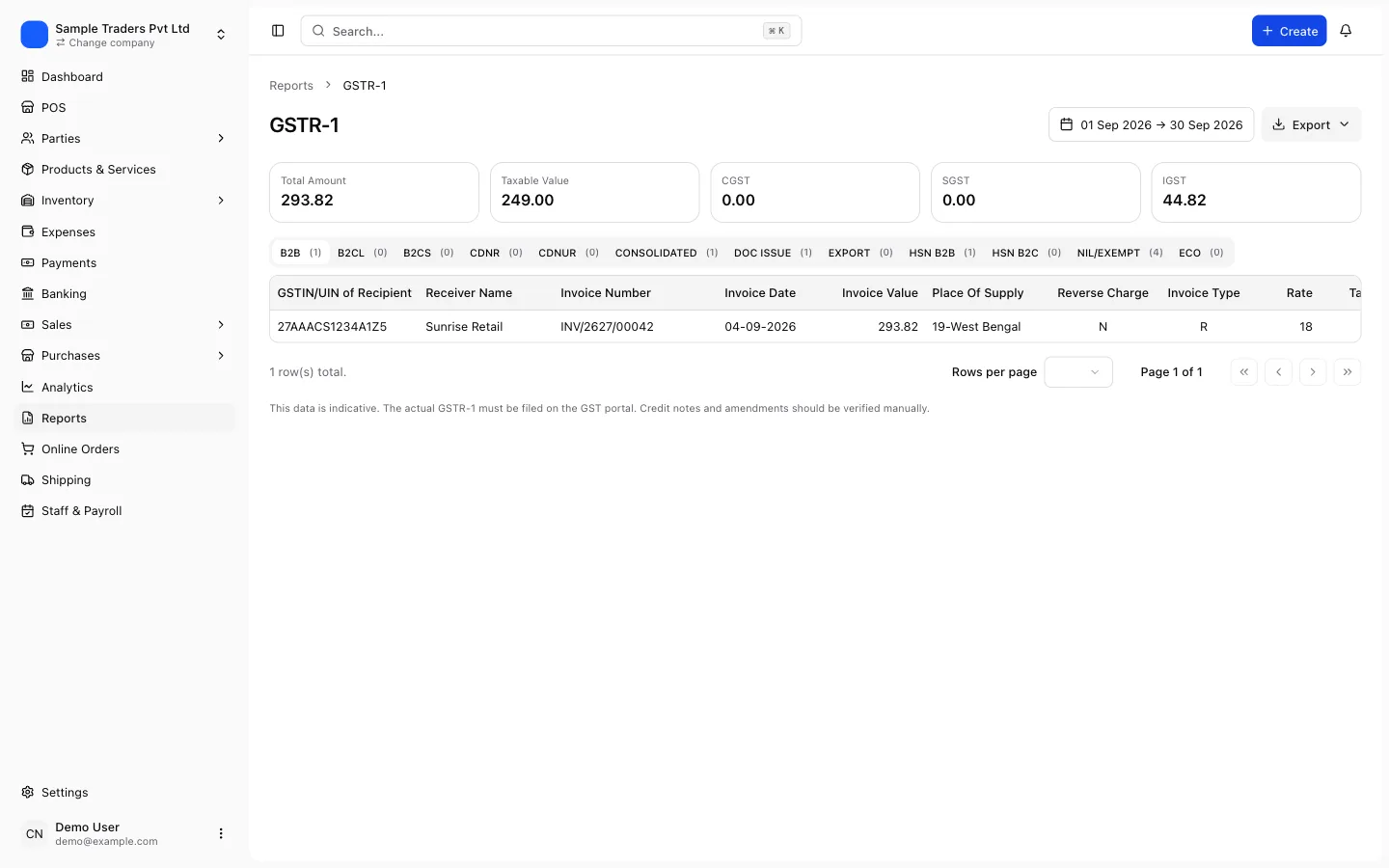
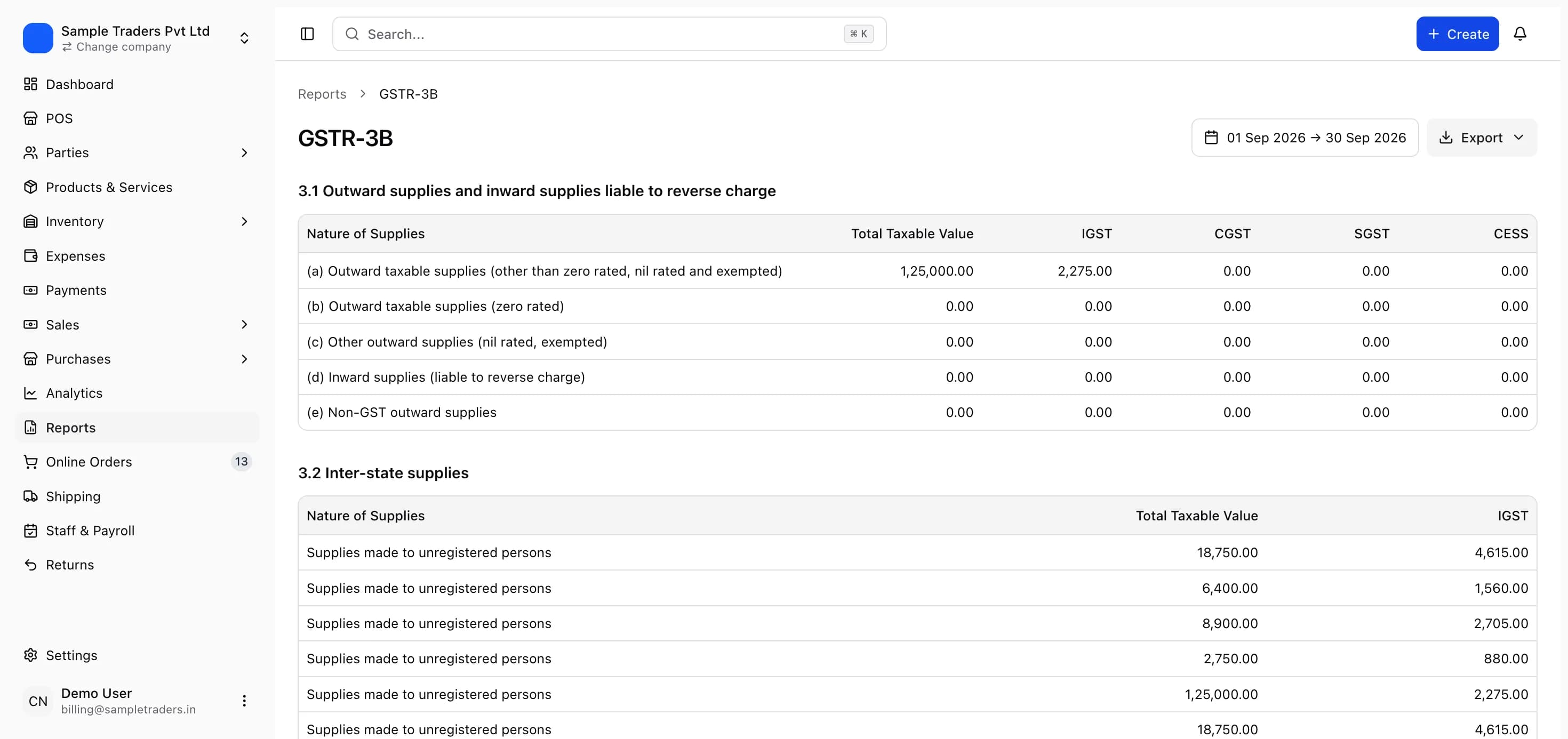
Nearly all Flipkart buyers are unregistered, so shipments go into Table 7 as B2C supplies grouped by delivery state and rate. Intra-state rows carry CGST and SGST; inter-state rows carry IGST. A rare inter-state invoice above the large-invoice threshold, currently Rs 1 lakh but check the GST portal, goes to Table 5 at invoice level. A buyer who entered a GSTIN at checkout produces a B2B invoice for Table 4.
Table 14 restates all supplies made through an e-commerce operator liable to TCS, operator-wise. Enter Flipkart's GSTIN as shown in your TCS report, with the net taxable value and tax. Table 14 is in addition to Tables 4, 5 and 7, and it is what the department matches against GSTR-8.
Table 12 is the HSN summary and must use codes from the portal's master list; a withdrawn or truncated HSN on a listing fails validation every month until it is fixed in Seller Hub and in your product master. Rates must be 5, 18 or 40 percent; the 12 and 28 percent slabs ended on 22 September 2025. The GSTR-1 filing guide covers the rest of the return, and the Table 12 and 13 error guide covers the validation failures.
Customer returns, RTO and cancellations: what differs
Flipkart orders come back in three ways, and only one of them is a cancellation for GST purposes.
Three ways an order ends and how GST treats each
| Event | What happened | Was an invoice issued | GST document | Where it goes in GSTR-1 |
|---|---|---|---|---|
| Cancellation before dispatch | Buyer or seller cancelled; goods never moved | Sometimes, then voided | Cancelled invoice | Cancelled count in Table 13 |
| RTO (return to origin) | Dispatched, delivery failed, courier returned it | Yes | Credit note against the invoice | Table 9B, or Table 7 reduction for small B2C |
| Customer return | Delivered, then picked up under the return policy | Yes | Credit note against the invoice | Table 9B, or Table 7 reduction for small B2C |
| Partial return | One item of a multi-item order returned | Yes | Credit note for that line only | Same as above |
| Replacement | Return plus a fresh dispatch | Yes, twice | Credit note for the return, new invoice for the replacement | Both reported |
The rule is simple: once goods have moved on an invoice, the invoice stands, and the only compliant reversal is a credit note under Section 34. An RTO feels like a non-sale because the customer never received anything, but for GST the supply was made at dispatch and reversed on return. Treating an RTO as a cancellation, and deleting the invoice, leaves a gap in Table 13 and a mismatch against the invoice Flipkart already reported in GSTR-8.
Credit notes for returns and RTO, step by step
A credit note for a Flipkart return needs the original invoice number and date, the returned quantity and value, the tax reversed by head, and its own serial number in a credit note series. The returns report supplies the first three; your billing system supplies the rest.
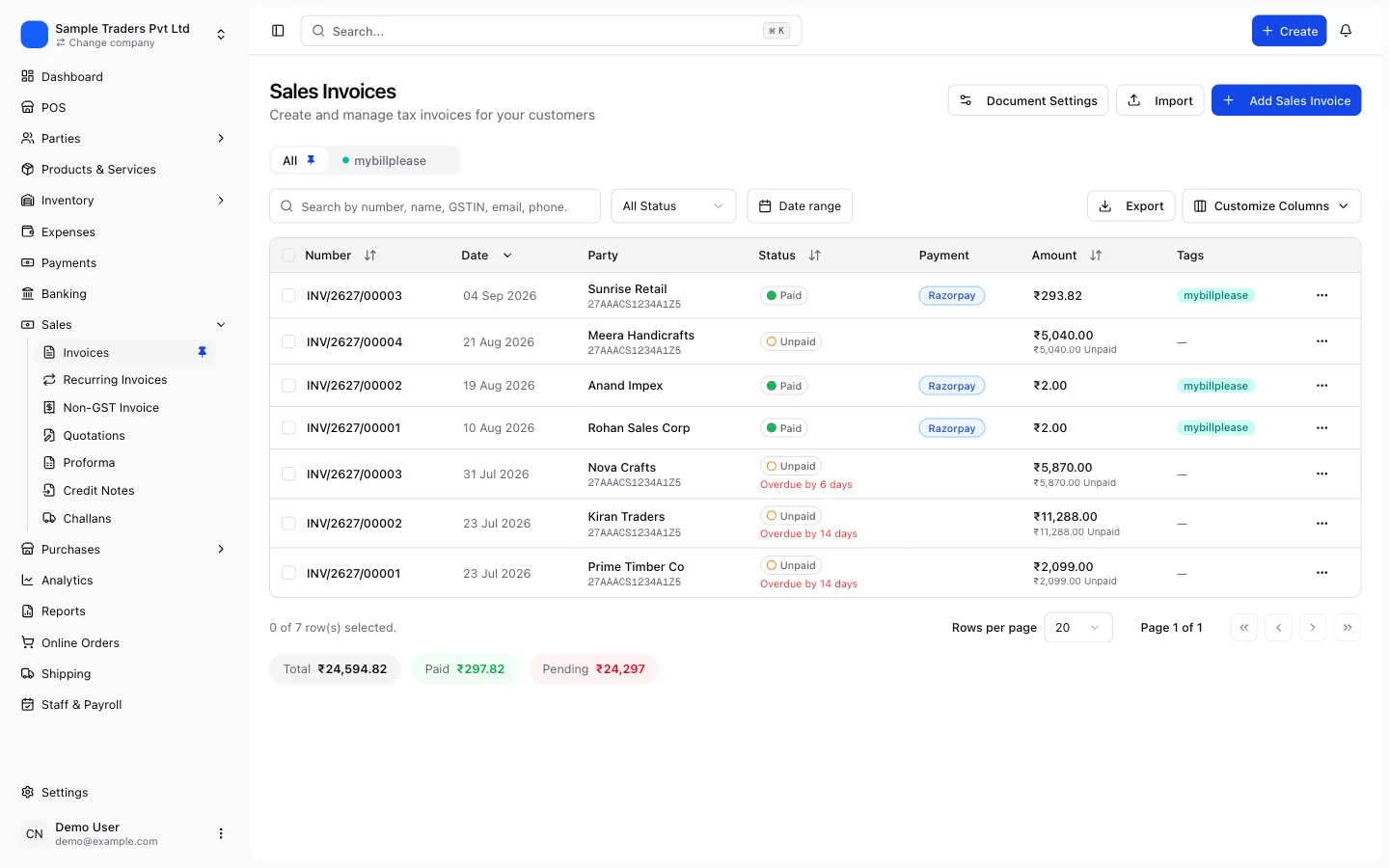
- Open the returns report for the month and filter to returns and RTOs that were received back, not merely initiated.
- For each row, find the original invoice in your billing system by the invoice number Flipkart printed.
- Raise a credit note against that invoice for the returned lines, at the same rate and tax head as the invoice. For a partial return, credit only the returned line.
- Date the credit note on the day the goods were received back, or the day Flipkart processed the return, and keep that choice consistent.
- Bring the goods back into stock. A damaged return that cannot be resold is still a credit note for the sale; the stock write-off is a separate entry.
- Let the billing system carry the credit notes into GSTR-1: Table 9B for registered or large inter-state buyers, and a reduction in Table 7 for small B2C sales, with the HSN summary and Table 13 updated.
Declare every credit note by 30 November following the financial year of the original invoice, or the annual return date, whichever comes first. The credit note and debit note guide covers the fields, and the ecommerce seller GST guide covers how returns interact with TCS.
Why Table 14 and GSTR-8 rarely agree in a returns-heavy month
Flipkart nets returns in its TCS base by the month it processed them. Your credit notes are dated when you record the goods back. A return processed on the 30th and credited by you on the 2nd sits in different months in the two records. The difference reverses next month; note it and do not chase it.
Fees, ITC and GSTR-3B
Every charge Flipkart levies comes with a tax invoice in your name at 18 percent GST: commission, fixed fee, collection fee, shipping fee, and reverse shipping on returns. The GST on those invoices is input tax credit when the invoice shows your GSTIN, appears in your GSTR-2B and relates to the business. Flipkart also issues credit notes when it reverses a fee on a returned order, and those reduce the credit you can claim. Match invoices and credit notes to GSTR-2B before claiming; the GSTR-2B reconciliation guide covers the routine.
GSTR-3B then follows from GSTR-1 and GSTR-2B. Table 3.1(a) carries outward supplies net of credit notes. Table 4A(5) carries matched ITC, including Flipkart's fee invoices. The payment step sets off ITC first, then the cash ledger balance, which is where the accepted TCS sits. Pay any shortfall by challan and file by the 20th; a day late costs Rs 50 (Rs 20 for a nil return) plus interest. The GSTR-3B filing guide covers the entries.
TCS is never ITC. Claiming it in Table 4 is a common mistake that shows up as an excess credit claim; it belongs in the cash ledger after acceptance.
A monthly routine for Flipkart sellers
Run the same steps in the same order every month. The returns step is the one to never skip.
Flipkart month-end before GSTR-1
- Sales, returns, TCS, fee invoice and settlement reports downloaded for the period
- Every invoice in the sales report imported as issued, in its own series
- Every return and RTO received back has a credit note against its original invoice
- Cancellations before dispatch marked cancelled, not deleted
- Table 14 filled with Flipkart's TCS GSTIN, net value and tax
- Fee invoices and fee credit notes matched to GSTR-2B
- TCS accepted in the TDS and TCS credit received tab before GSTR-3B
- Product master carries valid HSN and 5, 18 or 40 percent rates only
Billing software that keeps the imported Flipkart invoices, the credit notes and the fee invoices in one place produces Tables 7, 9B, 12, 13 and 14 and a GSTR-3B summary from the same records, so the returns cannot go missing between the invoice and the return. myBillPlease does this on its free plan, with up to 100 invoices a month, GSTR-1 JSON export and credit notes linked to their original invoices.
The department sees your GSTR-1, your GSTR-3B and Flipkart's GSTR-8 side by side. Sellers who credit-note every return, accept TCS before filing and claim only matched ITC give it nothing to query.
Frequently asked questions
- Do I need GST registration to sell on Flipkart?
- Yes, for goods, regardless of turnover. Section 24(ix) requires registration for anyone supplying goods through an e-commerce operator that collects TCS.
- What is the TCS rate on Flipkart?
- 0.5 percent of the net taxable value of your supplies, reduced from 1 percent on 10 July 2024. It is split 0.25 percent CGST plus 0.25 percent SGST for intra-state sales, or 0.
- How do I report an RTO order in GST?
- An RTO means the invoice was issued and the goods moved but were never delivered.
- What is the difference between a customer return and an RTO for GST?
- For GST there is none. Both start with an issued invoice and end with the goods back with you, so both are handled by a credit note against the original invoice.
- Should I cancel the invoice instead of issuing a credit note for a return?
- Only if the order was cancelled before dispatch and no supply took place. Once goods have moved, the invoice stands and the reversal is a credit note.
- By when must a credit note for a Flipkart return be declared?
- By 30 November following the end of the financial year in which the original invoice was issued, or the date of filing the annual return for that year, whichever is earlier.
- Can I claim ITC on Flipkart's commission and shipping fee invoices?
- Yes, when the invoice carries your GSTIN, charges 18 percent GST and appears in your GSTR-2B.