

Amazon Seller GST Filing: Pull MTR Reports and File GSTR-1
Amazon gives you two Merchant Tax Reports a month and collects TCS on every sale, but it does not file your returns. Here is how the MTR B2B and B2C reports map to each GSTR-1 table, how refunds become credit notes, and how the TCS credit gets into GSTR-3B.

On this page
Key takeaways
- The Merchant Tax Report (MTR) B2B and B2C files in Seller Central under Reports and Tax Document Library are the source for GSTR-1; each row is an invoice line, a refund line or a cancellation.
- MTR B2B rows with a customer GSTIN go to Table 4, B2C rows go to Table 7 (or Table 5 for large inter-state invoices), and all TCS supplies are restated operator-wise in Table 14.
- Refund rows in the MTR are credit notes Amazon issued in your name; they belong in Table 9B or net off in Table 7, never as deleted invoices.
- Amazon's 0.5 percent TCS is accepted in the TDS and TCS credit received tab and then pays part of your GSTR-3B liability from the electronic cash ledger.
Amazon does not file GST returns for you. It collects 0.5 percent TCS on every sale, reports it in its own GSTR-8, and hands you two Merchant Tax Reports (MTR) a month: one for B2B sales where the buyer gave a GSTIN, and one for B2C sales. Your job is to turn those two files into GSTR-1 by the 11th and GSTR-3B by the 20th, claim the TCS credit in between, and make sure the numbers you file agree with the numbers Amazon reported against your GSTIN.
This guide walks that path in order: where the reports live, what each column means, which GSTR-1 table each row belongs in, how refunds become credit notes, and how the TCS credit ends up paying part of GSTR-3B. It applies to FBA, Easy Ship and self-ship orders, because all three appear in the MTR. If you are still deciding whether you need registration, the ecommerce seller GST guide covers that; selling goods through Amazon requires a GSTIN regardless of turnover.
What Amazon does and does not do for your GST
Amazon does three things. It generates the tax invoice for FBA and Easy Ship orders in your name and numbering series, using the GSTIN and settings you entered in Seller Central. It collects TCS under Section 52 at 0.5 percent of the net taxable value and files GSTR-8 by the 10th. And it publishes the MTR B2B and B2C reports, fee invoices and a TCS report in the Tax Document Library.
Amazon does not file GSTR-1 or GSTR-3B, does not accept the TCS credit on your behalf, does not raise credit notes for self-ship returns, and does not check that the HSN and rate on your listings are current. Every one of those is yours, and the department compares your returns with Amazon's GSTR-8 line by line.
The practical consequence is that the MTR is the single source of truth for your Amazon sales. Whatever you do in your own billing system, the invoice numbers, dates, values and tax must match the MTR, because that is what the customer received and what Amazon reported.
A wrong GSTIN in Seller Central corrupts every downstream document
Amazon prints the GSTIN from your tax settings on every invoice and reports TCS against it. If it is outdated, cancelled or belongs to another state, the invoices are defective, the TCS goes to the wrong ledger, and MTR rows land under a Seller GSTIN you cannot file for. Check the GSTIN on the first invoice of each month against your registration certificate.
Where the MTR reports are and how to download them
In Seller Central, open Reports, then Tax Document Library. The Merchant Tax Report section lets you select a month and generate two files: MTR B2B and MTR B2C. Generation can take a few minutes for a busy month; download each as a spreadsheet once it is ready. The same library holds the seller fee invoices you need for ITC and the TCS report you match on the portal.
Generate the reports on the first or second of the month, after Amazon has closed the previous period. Rows for orders shipped on the last day sometimes appear a day late, so a report pulled on the 1st can be a few lines short of one pulled on the 3rd. If you regenerate, keep the later file and note the difference.
Sellers with more than one GSTIN, usually because stock sits in fulfilment centres in other states, get all registrations in one report. Filter on the Seller GSTIN column and treat each filtered set as a separate return.
Billing software that connects to Amazon's SP-API pulls the orders directly and saves the download, but the MTR remains the document to reconcile against, because it is what Amazon reported.
Reading the MTR columns
The report has several dozen columns, and only a handful drive the return. These are the ones that matter.
MTR columns that feed GSTR-1
| Column | What it holds | Where it goes |
|---|---|---|
| Seller GSTIN | Your registration the supply was made from | Decides which GSTR-1 you file |
| Transaction Type | Shipment, Refund, Cancel or FreeReplacement | Invoice, credit note, cancelled document or nil-value supply |
| Invoice Number and Invoice Date | Amazon-generated tax invoice details | Table 4, 5 or 7, and Table 13 |
| Credit Note No and Credit Note Date | Filled on Refund rows | Table 9B or Table 7 reduction |
| Customer Bill To GSTID | GSTIN the buyer entered at checkout | Present in B2B file only; Table 4 recipient |
| Ship From State and Ship To State | Origin and place of supply | Decides IGST versus CGST plus SGST, and the Table 7 state |
| HSN or SAC | Product classification | Table 12 |
| Tax Exclusive Gross, CGST, SGST, UTGST and IGST amounts | Taxable value and tax split | Values in every table |
| Warehouse ID and Fulfillment Channel | FBA centre or merchant | Explains which GSTIN and whether Amazon or you generated the invoice |
Shipment rows are positive supplies. Refund rows are negative and carry the credit note reference. Cancel rows show an invoice that was generated and then cancelled before dispatch; they count in Table 13 as cancelled documents. FreeReplacement rows are replacements sent at zero value against an earlier invoice; report them as the invoice shows, with the taxable value the row carries.
Mapping MTR B2B to GSTR-1 Table 4
Every Shipment row in the B2B file has a customer GSTIN, so each one is a B2B invoice for Table 4A. Report it at invoice level: invoice number, date, invoice value, place of supply from the Ship To State, taxable value by rate and the tax split.
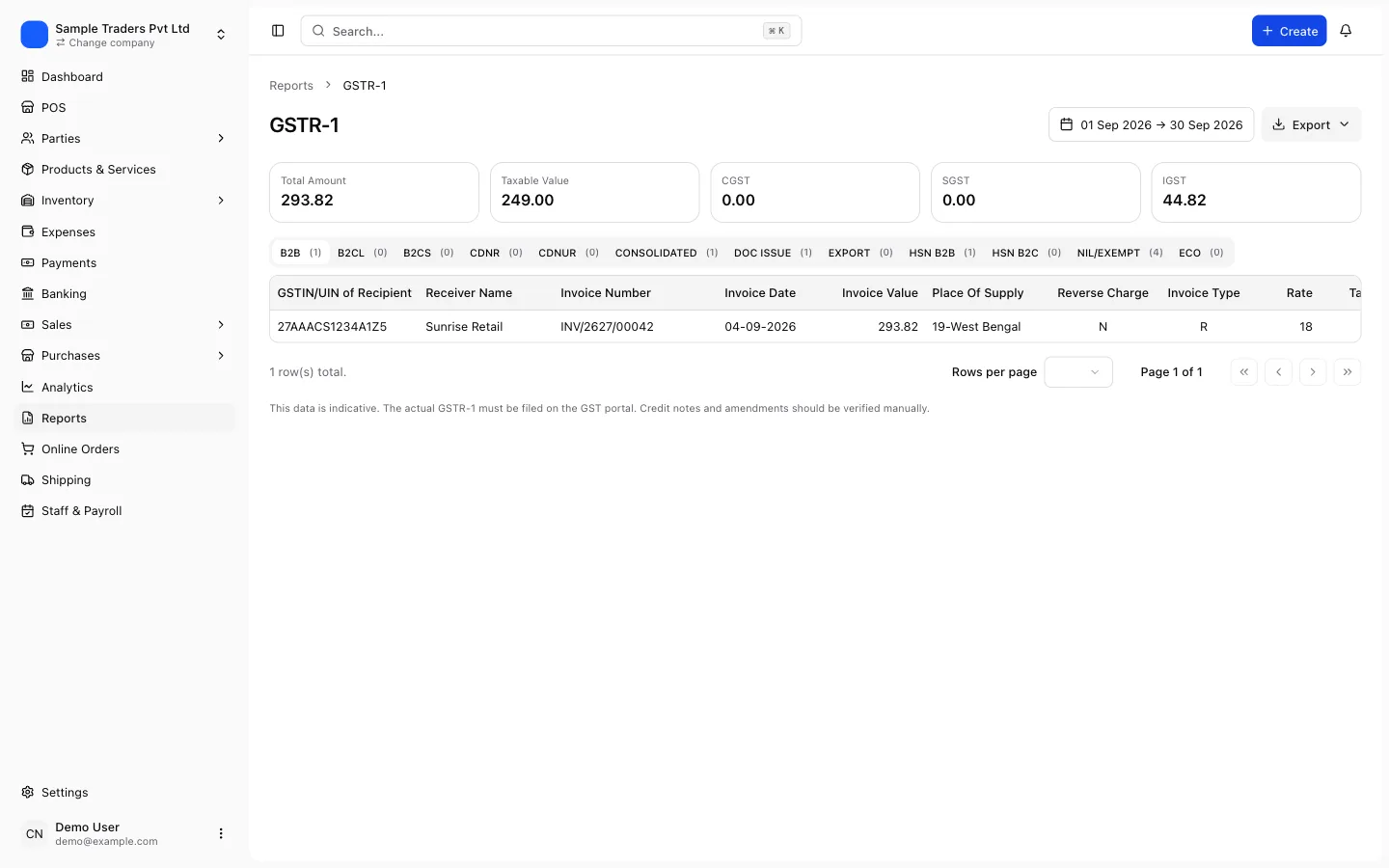
Amazon consolidates a multi-line order into one invoice number, so several rows may share an invoice. Group by invoice number before you enter or import, and check that the grouped taxable value equals the sum of the rows. The rate on each row must be one of the live slabs, 5, 18 or 40 percent, since 12 and 28 percent were withdrawn on 22 September 2025. A row still showing an old rate means the listing's tax code is stale and needs correcting in Seller Central as well as in the return.
The buyer will look for this invoice in their GSTR-2B and accept it in the IMS. If your Table 4 entry carries a different value or date from the invoice Amazon printed, their credit is blocked and the query comes to you. The GSTR-1 filing guide covers the rest of the table.
Mapping MTR B2C to Tables 5, 7 and 14
The B2C file has no customer GSTIN, so its Shipment rows are summarised rather than listed. Group them by Ship To State and by rate, sum the taxable value and tax, and enter one line per combination in Table 7. Intra-state rows (Ship From equals Ship To) carry CGST and SGST; inter-state rows carry IGST.
The exception is a single inter-state invoice above the large-invoice threshold, currently Rs 1 lakh but check the GST portal, which goes to Table 5 at invoice level with the place of supply.
Table 14 restates every supply made through an e-commerce operator liable to TCS, operator-wise. Enter Amazon's GSTIN as it appears in your TCS report, with the net taxable value and tax for the month. Table 14 is in addition to Tables 4, 5 and 7, not instead of them, and the department matches it against Amazon's GSTR-8.
Which Amazon GSTIN goes in Table 14
Amazon's Indian marketplace entity is registered in several states, and the GSTIN that collected your TCS is the one in the TCS statement on the portal and in the TCS report in the Tax Document Library. Use that one, not the GSTIN printed on your fee invoices, which may belong to a different Amazon entity.
Refunds, returns and cancellations: credit notes and Table 9B
Refund rows in the MTR are credit notes Amazon generated in your name against the original invoice, with a credit note number and date. Import them as credit notes, linked to the original invoice, in their own series. A credit note for a registered buyer, or against a large inter-state B2C invoice, goes to Table 9B with the original invoice reference. A credit note against an ordinary B2C sale reduces the net figure in Table 7 for that state and rate.
Cancel rows are different. The invoice existed for a moment and was cancelled before goods moved, so there is no supply and no credit note. Mark the invoice cancelled so Table 13 shows it in the cancelled column.
Self-ship returns and RTO parcels are not in the MTR because Amazon did not process them. Raise the credit note yourself against the original invoice, within the Section 34 window: by 30 November following the financial year, or the annual return date, whichever comes first. The credit note and debit note guide has the fields.
Because Amazon nets refunds in its TCS base by processing month and your credit notes are dated when you record them, Table 14 and GSTR-8 will differ in months with heavy returns. The gap reverses in the following month; note it and move on.
HSN summary and document list from the MTR
Table 12 groups the month's supplies by HSN and rate, split into B2B and B2C tabs. Since the May 2025 period the HSN must be picked from the portal's master list, so any code in the MTR that is truncated or withdrawn fails validation. Fix the listing's HSN in Seller Central and the product master in your billing system, then regenerate. Amazon's listing HSN drives the invoice, so a wrong code repeats every month until corrected there.
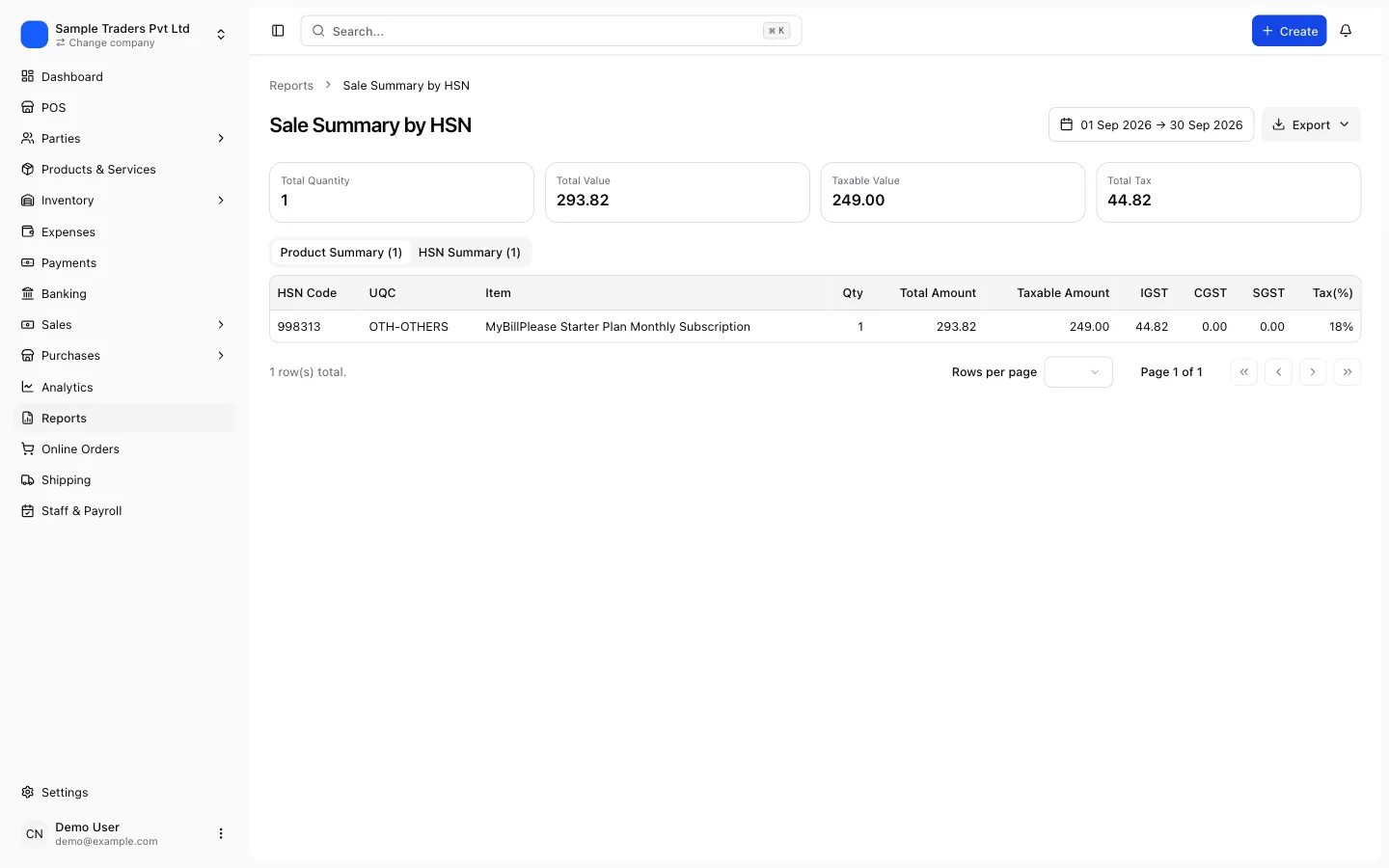
Table 13 lists each document series with the first number, last number, total and cancelled count. Amazon-generated invoices form one series per GSTIN and per fulfilment channel; self-ship invoices you generate form another; credit notes form a third. Keep them separate in your billing system and Table 13 builds itself. The Table 12 and 13 error guide explains what to do when either fails.
MTR to GSTR-1, in order
- MTR B2B, MTR B2C, TCS report and fee invoices downloaded for the month, per Seller GSTIN
- Shipment rows grouped by invoice number; grouped totals match row sums
- B2B invoices imported with the customer GSTIN and Ship To State as place of supply
- B2C rows summarised by state and rate for Table 7; any large inter-state invoice in Table 5
- Refund rows imported as credit notes linked to the original invoice
- Cancel rows marked cancelled, not deleted
- Table 14 filled with Amazon's TCS GSTIN, net value and tax
- Every HSN valid in the portal master; no 12 or 28 percent rows
TCS credit and GSTR-3B
Amazon collects TCS at 0.5 percent of the net taxable value, split 0.25 percent CGST and 0.25 percent SGST for intra-state supplies or 0.5 percent IGST for inter-state, and files GSTR-8 by the 10th. After that, the credit appears in your login under Returns, then TDS and TCS credit received. Accept the rows that match your TCS report, file the statement, and the amount moves into your electronic cash ledger.
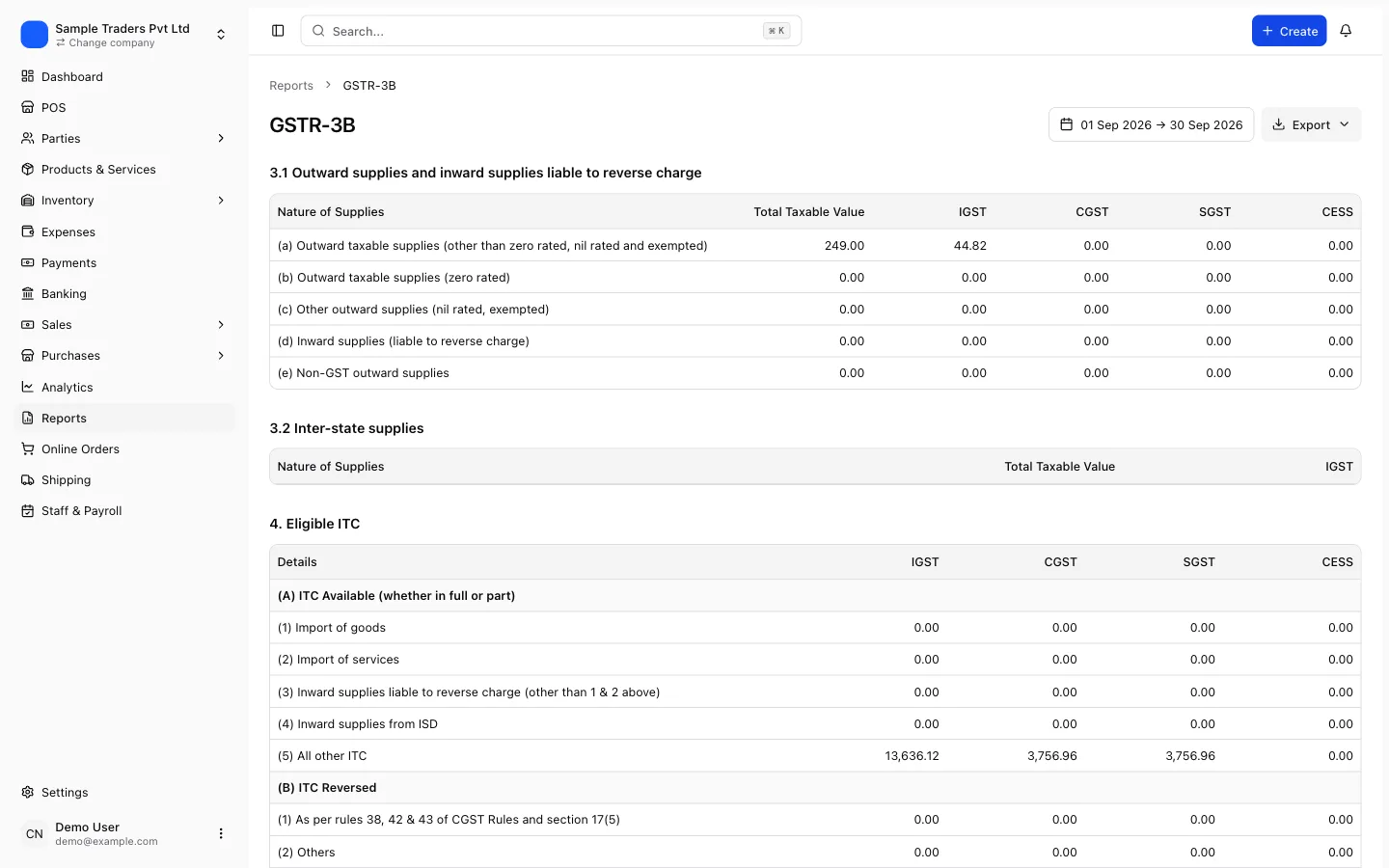
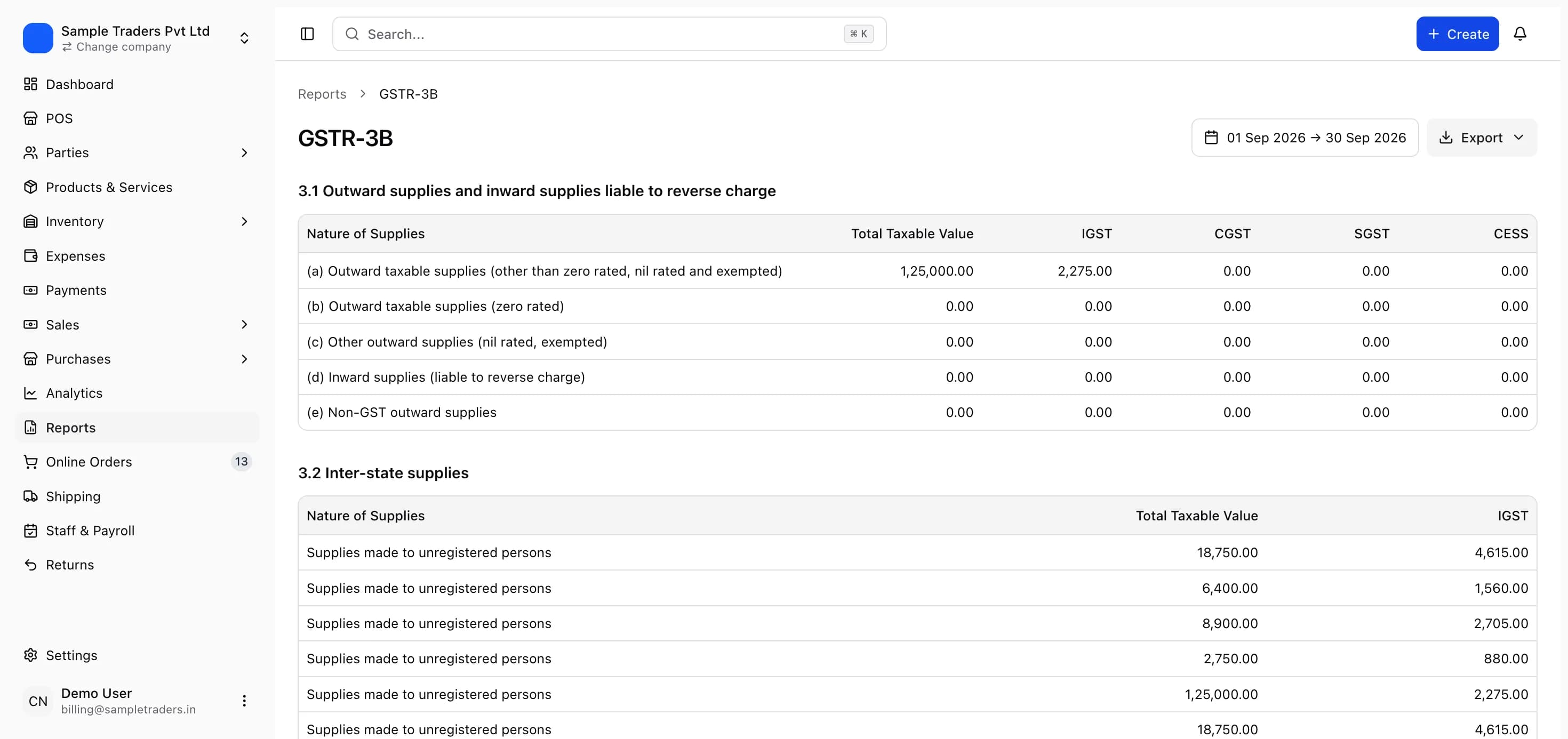
GSTR-3B then follows from GSTR-1. Table 3.1(a) carries the outward taxable supplies net of credit notes. Table 4A(5) carries ITC from GSTR-2B, including Amazon's fee invoices, which are covered in the Amazon fee ITC guide. The payment step sets off ITC first, then offers the cash ledger balance, which is where the accepted TCS sits. Pay any shortfall by challan and file by the 20th; a day late costs Rs 50 (Rs 20 for a nil return) plus interest. The GSTR-3B filing guide covers the table entries.
If Amazon's GSTR-8 is late and the credit is not visible by the 20th, file from ITC and cash and use the credit next month. It does not lapse.
A monthly routine that keeps MTR and returns in agreement
The whole process is about ten steps a month once the mapping is set. Run them in the same order each time.
- On the 1st to 3rd, generate and download MTR B2B, MTR B2C, the TCS report and the fee invoices.
- Import or enter Shipment rows as invoices, keeping Amazon's numbers and dates.
- Import Refund rows as credit notes against their invoices; mark Cancel rows cancelled.
- Raise credit notes for self-ship returns and RTO parcels the MTR does not carry.
- Generate Tables 4, 5, 7, 9B, 12, 13 and 14 from those records and export the GSTR-1 JSON.
- Upload, run the summary on the portal, resolve any Table 12 warning, and file by the 11th.
- On the 14th, reconcile GSTR-2B against fee invoices and purchase invoices.
- Accept the TCS credit and file the TDS and TCS statement.
- Prepare GSTR-3B from the GSTR-1 figures and the reconciled ITC, pay the shortfall, and file by the 20th.
- Archive the MTR files, the JSON and the filed returns for the period.
Billing software that pulls Amazon orders through the SP-API, keeps the invoices and credit notes in one place, and builds the GSTR-1 tables and a GSTR-3B summary from those records removes the retyping that creates most mismatches. myBillPlease does this, with an Amazon SP-API integration, GSTR-1 JSON export and a free plan covering up to 100 invoices a month.
Whatever tool you use, the test is simple: your GSTR-1 must reproduce the MTR, your GSTR-3B must reproduce your GSTR-1 and GSTR-2B, and the TCS you claim must be the TCS you accepted. Sellers who can show those three agreements in a spreadsheet rarely hear from the department about their Amazon sales.
Frequently asked questions
- Where do I find the MTR reports in Seller Central?
- Go to Reports, then Tax Document Library, then the Merchant Tax Report section. Pick the month, generate the B2B report and the B2C report separately, and download them as spreadsheets.
- What is the difference between MTR B2B and MTR B2C?
- MTR B2B lists sales where the customer entered a GSTIN at checkout, so each row is a registered buyer and goes to GSTR-1 Table 4 at invoice level.
- Does Amazon file GSTR-1 for me?
- No. Amazon files its own GSTR-8 reporting the TCS it collected against your GSTIN. You file GSTR-1 and GSTR-3B yourself from the MTR reports, and the department matches your figures with Amazon's.
- How are Amazon refunds and returns reported in GST?
- Refund rows in the MTR carry a credit note number and date that Amazon generated against the original invoice.
- I stock in Amazon fulfilment centres in other states. Which GSTIN do I file under?
- Each row of the MTR carries a Seller GSTIN column.
- When does Amazon's TCS show up on the GST portal?
- After Amazon files GSTR-8, due on the 10th of the following month. The entry appears in the TDS and TCS credit received tab under Returns.
- Can I automate the MTR import instead of typing invoices?
- Yes. Billing software that connects to Amazon's SP-API can pull orders directly, and most systems accept the MTR spreadsheet as an import.