Razorpay Payment Receipt vs GST Tax Invoice: What You Must Still Issue
The email Razorpay sends your customer confirms that money moved. It does not satisfy Section 31 of the CGST Act. Here is the difference, and the document you still owe the customer.

On this page
Key takeaways
- A Razorpay payment receipt is evidence of payment; a GST tax invoice is the legal document that creates your output liability and the customer's input tax credit.
- Rule 46 lists the fields a tax invoice must carry, including a serial number, HSN or SAC, place of supply and the CGST, SGST or IGST split; a payment receipt carries almost none of them.
- Money received before supply needs a receipt voucher under Rule 50, and a tax invoice follows when the supply happens.
- If you use Razorpay's own invoice or payment page product, you are still the issuer; check the output against Rule 46 rather than assuming the tool did.
A Razorpay payment receipt and a GST tax invoice answer two different questions. The receipt answers "did the customer pay?" The invoice answers "what was supplied, to whom, at what taxable value, and how much tax was charged?" Only the second document is required by GST law, and only the second one lets a registered customer claim input tax credit.
The confusion is understandable. The receipt arrives by email, looks official, carries your business name and the amount, and the customer is satisfied. But it is not issued under Section 31 of the CGST Act and does not carry the fields Rule 46 requires. If you are registered, you still owe the customer a tax invoice, and you still report that invoice in GSTR-1.
This post explains what each document is, when each one is required, what changes when money arrives before the supply, and how to set up a workflow where the invoice is issued automatically alongside the payment. For what a compliant invoice looks like field by field, the GST invoice format guide is the reference.
What a Razorpay payment receipt is
When a customer pays through a Razorpay payment link, payment page, checkout or subscription, Razorpay records a payment with an id beginning pay_ and, if you have enabled it, sends the customer a confirmation. That confirmation typically shows:
- Your business name and logo
- The amount paid and the currency
- The payment id and the date and time
- The payment method (UPI, card, netbanking, wallet)
- A description or the name of the payment link
- Sometimes an order id or receipt number you set when creating the link
What it does not show, because it has no reason to, is the supply itself. There is no invoice serial number under a Rule 46 series, no HSN or SAC code, no taxable value separated from tax, no place of supply, no CGST and SGST or IGST split, no recipient GSTIN, and no signature. It is a record from a payment intermediary that money moved from the customer to you.
For your accounts, the receipt is the payment side of the entry. For the customer, it is proof of payment. For GST, it is not a document at all.
What a GST tax invoice is
Section 31 requires a registered person supplying taxable goods or services to issue a tax invoice. Rule 46 sets out what the invoice must contain. The list that matters for this comparison:
- Name, address and GSTIN of the supplier
- A consecutive serial number, not exceeding 16 characters, unique for the financial year, containing only letters, numbers, hyphen and slash
- Date of issue
- Name, address and GSTIN of the recipient, if registered
- For unregistered recipients, name and address and place of supply where the invoice value is Rs 50,000 or more
- HSN code for goods or SAC for services, at the digit length your turnover requires
- Description, quantity and unit for goods
- Total value, taxable value after discount
- Rate and amount of tax, shown as CGST and SGST for intra-state supply or IGST for inter-state supply
- Place of supply with state name for inter-state supplies
- Whether tax is payable on reverse charge
- Signature or digital signature of the supplier, or the authorised representative
The invoice is what appears in your GSTR-1, flows into the customer's GSTR-2B, and is accepted, rejected or kept pending by them in IMS. Its taxable value is your output liability in GSTR-3B. Getting the fields right is the subject of how to create a GST invoice.
| Attribute | Razorpay payment receipt | GST tax invoice |
|---|---|---|
| Issued by | Razorpay, on your behalf | You, the supplier |
| Legal basis | Payment confirmation | Section 31, Rule 46 |
| Serial number | Payment id, `pay_...` | Your Rule 46 series, max 16 characters |
| HSN or SAC | No | Yes |
| Taxable value and tax split | Usually total only | Yes, CGST/SGST or IGST |
| Recipient GSTIN | No | Yes, for registered recipients |
| Place of supply | No | Yes |
| Reported in GSTR-1 | No | Yes |
| Gives customer ITC | No | Yes |
| Proves payment | Yes | No |
When the invoice has to be issued
Timing is set by Section 31 and it does not wait for the payment.
For goods, the invoice is issued before or at the time of removal or delivery. If a customer pays on a payment link and you ship the next day, the invoice date is the dispatch date, and the invoice accompanies the goods, with an e-way bill where the consignment value calls for one.
For services, the invoice is issued within 30 days of the supply of the service (45 days for banks, NBFCs and insurers). A consultant who completes work on 5 September and is paid on 6 September must invoice by 5 October at the latest; most businesses invoice on completion.
For continuous supplies, such as retainers and subscriptions, the invoice follows the due date of payment in the contract, or the actual receipt if there is no due date.
| What you supply | Invoice must be issued | Razorpay payment timing |
|---|---|---|
| Goods, delivered | Before or at removal or delivery | Irrelevant to the invoice date |
| Services, one-off | Within 30 days of completion | Irrelevant to the invoice date |
| Services by bank, NBFC, insurer | Within 45 days of completion | Irrelevant to the invoice date |
| Continuous supply, contract with due dates | On or before each due date | Receipt voucher if paid early |
| Advance for any supply | Receipt voucher on receipt, invoice on supply | Receipt voucher dated on payment |
If you are above the e-invoicing threshold of Rs 5 crore aggregate turnover, the B2B invoice also needs an IRN before it is valid, and if your turnover is Rs 10 crore or more, it must be reported to the IRP within 30 days of the invoice date. The e-invoicing guide covers the mechanics.
Payment date is not invoice date
A Razorpay payment on 28 September and dispatch on 2 October means a September receipt and an October invoice. Reporting the sale in September because the money arrived in September puts it in the wrong return period.
Money before supply: the receipt voucher
When the customer pays before you supply, the payment is an advance, and GST has a specific document for it. Rule 50 requires a receipt voucher with your details, a serial number, the date, the recipient's details, a description of the goods or services, the amount of the advance, the rate and amount of tax, place of supply and signature.
The tax treatment differs by what you sell:
- Services: tax is payable on the advance at the time it is received, and the receipt voucher is how it enters your records. It is reported in GSTR-1 Table 11A, and adjusted in Table 11B when the invoice is issued.
- Goods: since Notification 66/2017, suppliers of goods (other than composition dealers) pay tax at the time of the invoice rather than on the advance, but the receipt voucher is still the correct document for the money received.
The Razorpay receipt for that payment is still just proof of payment. The receipt voucher is your document; the tax invoice follows when the supply happens, and it references the advance so the customer is not charged twice.
Razorpay's own invoice and payment page products
Razorpay offers products that generate an invoice-like document with line items, your GSTIN and tax, and send it with a payment link. Two points about them.
First, you are still the issuer. Whatever the tool prints, the obligations under Section 31 and Rule 46 are yours: a unique serial number within a 16-character series for the financial year, HSN or SAC per line, place of supply, and the correct tax split. If the document produced from the tool meets those requirements, it can be your tax invoice. If it does not, it is a payment request with tax shown, and you still need a proper invoice.
Second, numbering has to be one series. If Razorpay issues INV-0001 to a customer and your billing software issues INV-0001 to another, you now have a duplicate in the financial year, which fails Table 13 and, above Rs 5 crore, the IRP. Decide which system owns the number and let the other reference it. The GST invoice number format rules explain the constraints.
Before you treat a Razorpay-generated document as your tax invoice
- Serial number from your Rule 46 series, unique for the financial year, 16 characters or fewer
- Your GSTIN and the customer's GSTIN if registered
- HSN or SAC on every line at the digit length your turnover requires
- Taxable value, rate, and CGST and SGST or IGST shown separately
- Place of supply present, and IGST used for inter-state supplies
- Date matches the supply date, not just the payment date
- For turnover above Rs 5 crore, an IRN and QR code on B2B invoices
Small B2C payments and the consolidated invoice
There is one narrow case where no individual tax invoice is needed. Under Section 31(3)(b) and Rule 46, a registered supplier need not issue a tax invoice for a supply to an unregistered person where the value is less than Rs 200, provided the recipient does not ask for one. A consolidated tax invoice for all such supplies is issued at the end of the day.
For a business taking many small Razorpay payments from consumers, this reduces the paperwork to one consolidated invoice per day, but it does not remove the requirement. Each payment above Rs 200, and each payment where the customer asks, still needs its own invoice. A B2B customer always needs one, whatever the amount, because their credit depends on it.
Refunds: credit note, not "refund receipt"
Razorpay sends a refund confirmation when you return money to a customer. It records that cash went back. It does nothing to your GST position.
To reduce output tax on a supply that was returned, cancelled or discounted after invoicing, you issue a credit note under Section 34 against the original invoice. It is reported in GSTR-1 Table 9B, appears in the customer's GSTR-2B, and must be declared by 30 November following the end of the financial year of the supply or the date of the annual return, whichever is earlier. Miss that window and the tax stays paid. The credit note and debit note guide has the format.
Three documents for one refunded sale
Tax invoice when you supplied, Razorpay receipt when the customer paid, credit note when you refunded. Razorpay's refund confirmation is the fourth piece of paper and the only one with no GST effect.
A workflow that issues both automatically
The practical answer is to stop treating the receipt and the invoice as separate tasks. The sequence that works:
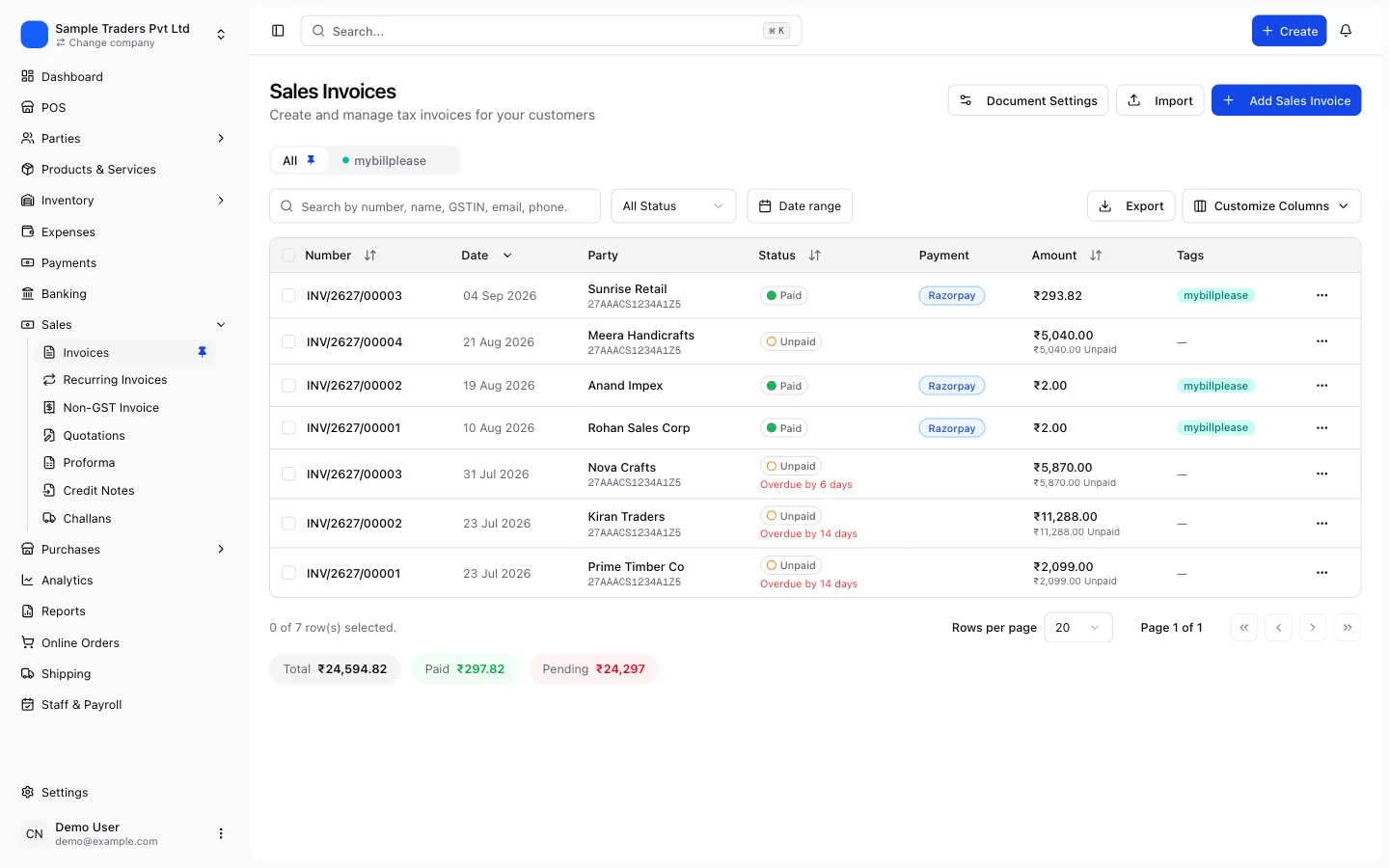
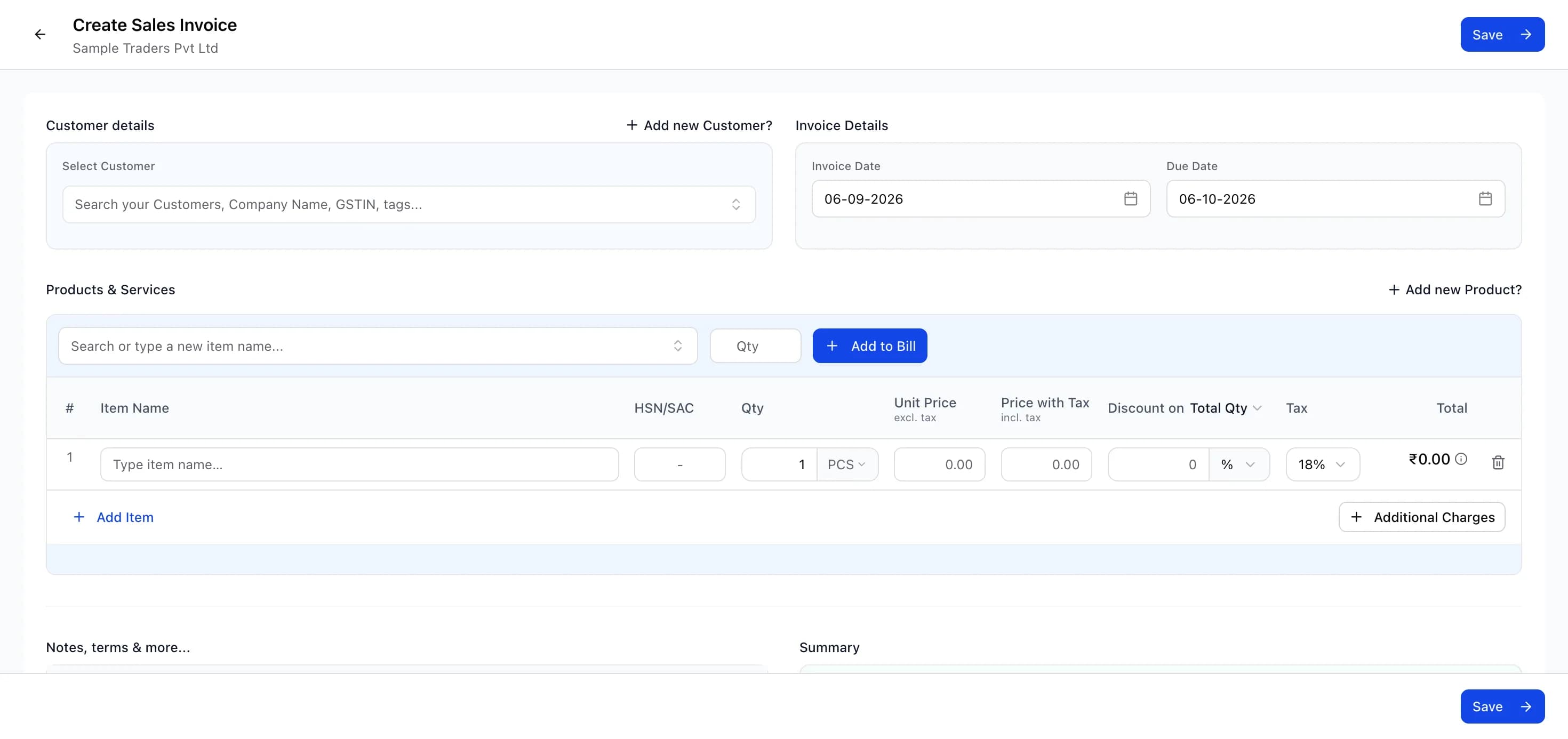
- Create the invoice first, from a product master with HSN or SAC and rate, so the taxable value and tax split are right.
- Generate the Razorpay payment link or order from that invoice, and put the invoice number in the receipt or notes field.
- When the customer pays, Razorpay sends its receipt, and your billing system records the payment id against the invoice.
- Send the tax invoice PDF to the customer with the payment confirmation, or at dispatch for goods.
- If the payment arrived before supply, issue a receipt voucher at step 3 and the invoice at delivery, referencing the advance.
- Reconcile settlements to invoices on payment id, as described in the Razorpay settlement reconciliation guide.
Billing software that generates an invoice per order and connects to Razorpay closes this loop without manual work. myBillPlease does this, with the invoice, receipt voucher and credit note among its 14-plus document types, Razorpay reconciliation, and GSTR-1 preparation from the invoices issued. The free plan covers 100 invoices a month for one user with no card required.
What happens if you only send the receipt
For B2C sales the immediate consequence is quiet: the customer is satisfied and no one asks. The problem surfaces at filing. Without invoices there is nothing to put in GSTR-1, the sales in GSTR-3B are reconstructed from bank credits net of fees, and the turnover on your returns disagrees with your bank statement and with Razorpay's own reporting. That gap is a routine trigger for a query.
For B2B sales the consequence is immediate. The customer cannot see your supply in GSTR-2B, cannot accept it in IMS, and cannot claim credit. They will ask for the invoice, and if it arrives in a later month with a later date, their credit is delayed and yours is questioned. The ITC and notice guide shows how these mismatches escalate.
The late fee for a delayed GSTR-1 or GSTR-3B is Rs 50 per day (Rs 20 for a nil return), and late payment of tax carries interest. A payment receipt does not help with either.
Documents per Razorpay transaction type
- Payment after delivery of goods: tax invoice at dispatch, Razorpay receipt on payment
- Payment on completion of service: tax invoice within 30 days of completion, Razorpay receipt on payment
- Advance payment: receipt voucher on payment, tax invoice on supply
- Refund: credit note against the original invoice, Razorpay refund confirmation
- Consumer sale under Rs 200, no invoice requested: consolidated daily invoice
- B2B sale above Rs 5 crore turnover: e-invoice with IRN, then Razorpay receipt
Frequently asked questions
- Is a Razorpay payment receipt a valid GST invoice?
- No. The receipt confirms that a payment was captured and shows the payment id, amount and method.
- Do I need to issue a GST invoice if the customer already got a Razorpay receipt?
- Yes, if you are registered under GST.
- What if the customer pays before I deliver?
- Money received before the supply is an advance. Issue a receipt voucher under Rule 50 when the advance lands, and issue the tax invoice when the goods are removed or the service is provided.
- Can Razorpay Invoices or Payment Pages produce a GST-compliant invoice?
- They can produce a document that includes tax and your GSTIN, but the responsibility for the Rule 46 fields and for the numbering series stays with you.
- Does e-invoicing apply to payments taken through Razorpay?
- E-invoicing depends on your aggregate turnover, not on the payment method. If your turnover exceeds Rs 5 crore, B2B invoices need an IRN from the Invoice Registration Portal regardless of how the customer paid.
- What do I issue for a refund made through Razorpay?
- A credit note against the original tax invoice, reported in GSTR-1 Table 9B. Razorpay's refund confirmation records that money went back, but only the credit note reduces your output tax.